
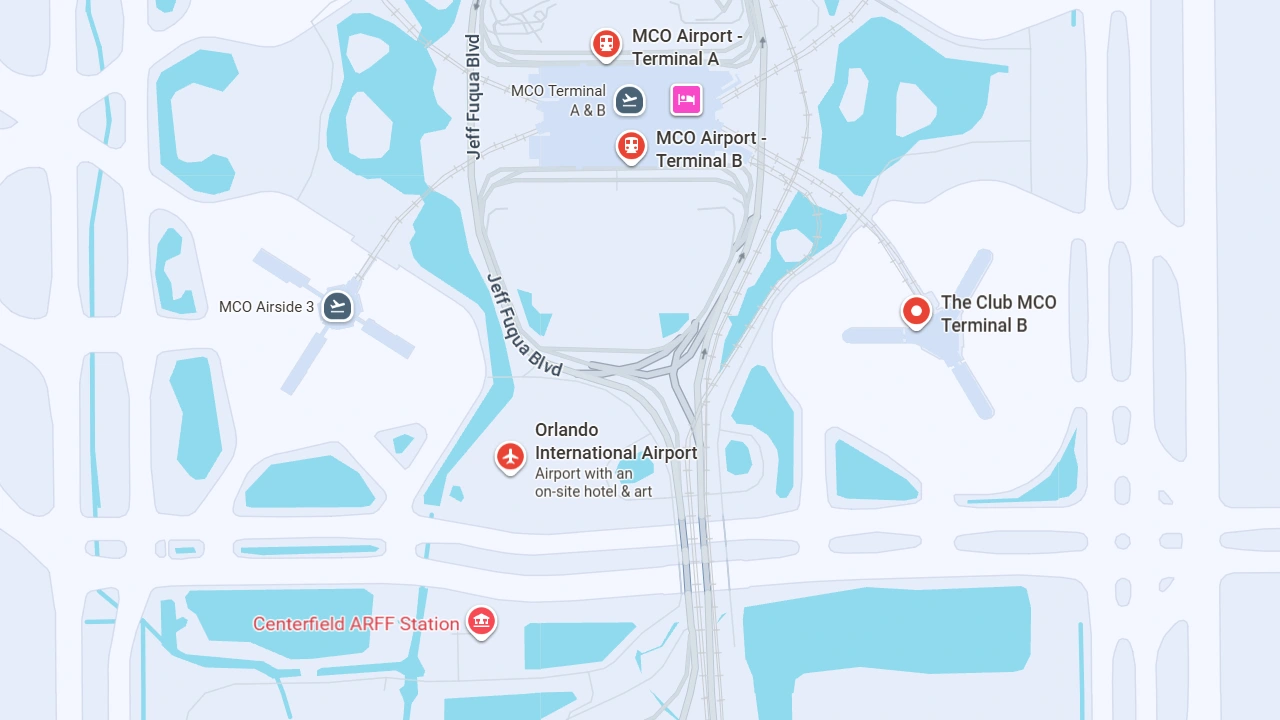
Orlando International Airport is a large airport with three main terminal areas, four airside gate areas, parking garages, restaurants, and group transportation options. A clear MCO airport map helps passengers find the exact gate number, check-in area, security checkpoint, baggage claim, parking garage, or rental car facility.
Understanding the terminal layout and gate numbers makes it easier to move around the airport. Travelers can find an interactive map and downloadable terminal maps for easier navigation.
Orlando International Airport Map
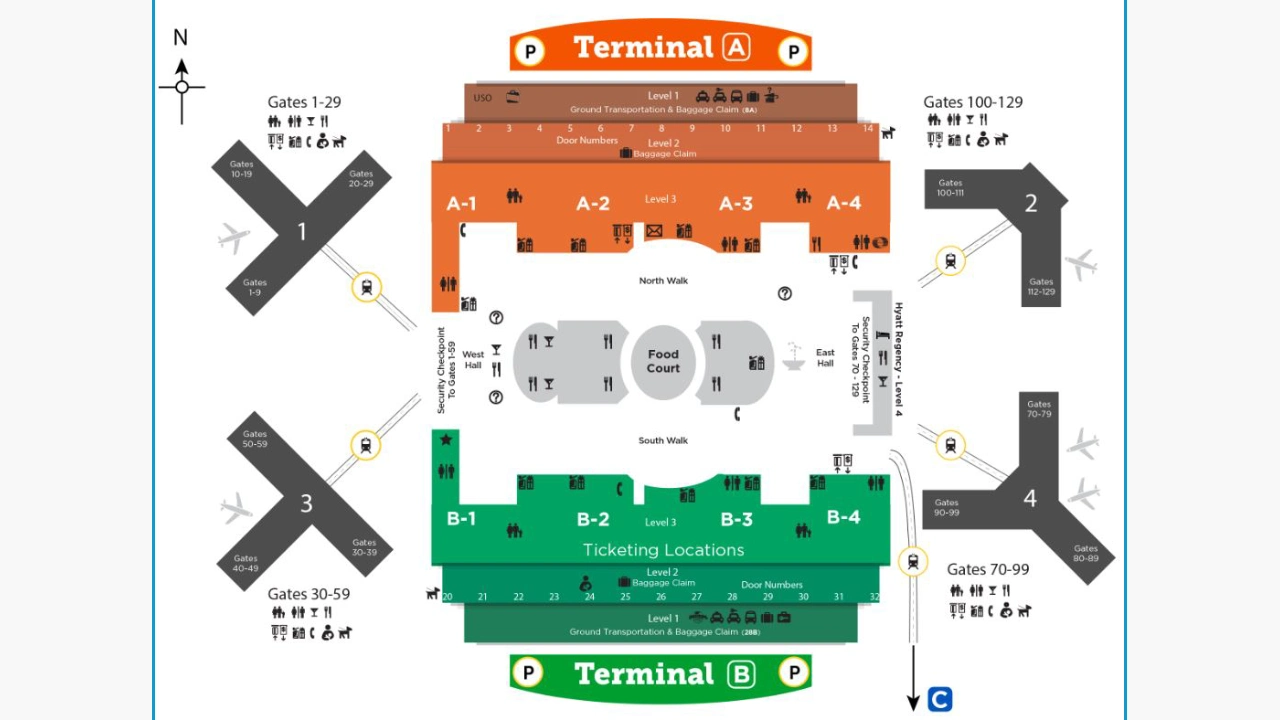
The Orlando International Airport has a main multi-level terminal with A and B sides, along with the newer Terminal C. The North Terminal Complex has four airside gate areas. MCO map shows Airsides 1 and 3 on the west side and Airsides 2 and 4 on the east side.
Orlando Airport Terminal A Map
MCO Terminal A is located on the east side of the North Terminal Complex. The terminal map uses three main levels. The map highlights the check-in area on Level 3, MCO baggage claim on Level 2, and ground transportation and rental car services on Level 1.
Orlando Airport Map Terminal B
Terminal B forms the other side of the North Terminal Complex and provides access to Airside 3 and Airside 4. The map helps to identify baggage carousels 20-32, rental cars, rideshare, buses, parking shuttles, resort transportation, and the TSA PreCheck Enrollment Center.
MCO Terminal C Map
The Terminal C map focuses on the newer South Terminal Complex. It shows current C230-C254 gate areas, baggage claim, security, parking, rental cars, Terminal Link, ground transportation, and Customs and Immigration on Level 6.
MCO Airport Gates Map
Orlando International Airport uses separate gate groups. The gate area depends on the terminal and the Gate Link train selected after security. The map makes it easy to find the exact gate number if gate assignments change.
Orlando Airport Train Station Map
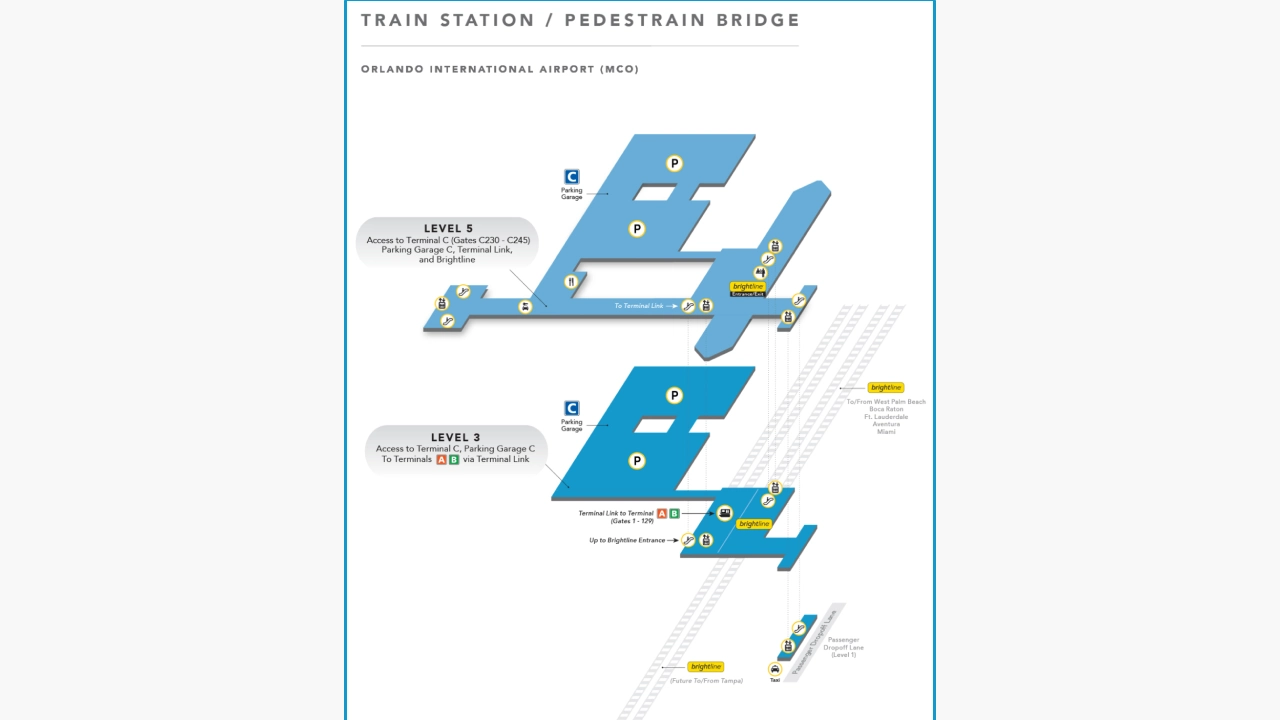
The Train Station map shows how the station connects with Terminal C, Terminals A and B, Parking Garage C, and surface parking.
MCO Airport Parking Map
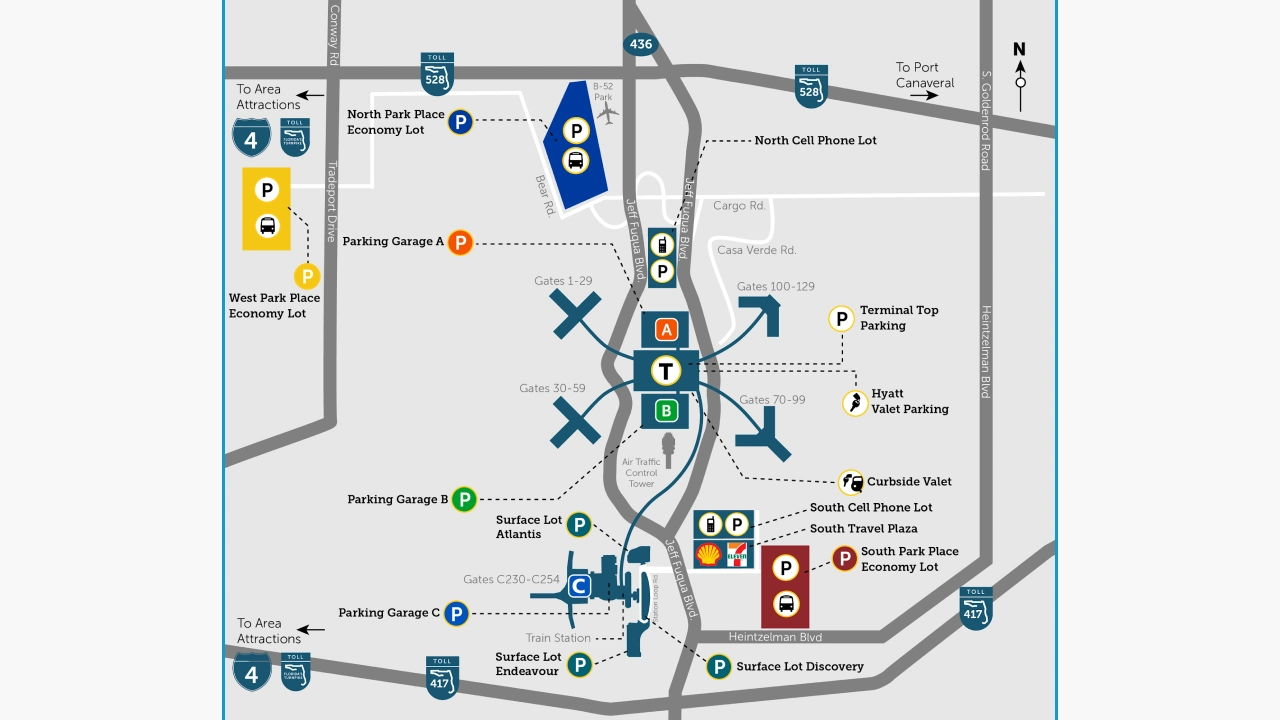
Garage C is connected to Terminal C, while Garages A and B serve the North Terminal area. A map makes it easy to locate parking options around the airport, including Garages A, B, and C, valet parking, economy lots, and surface lots near the train station.
Where to Find the Official Orlando Airport Map?
The official MCO Terminal Maps page includes interactive maps and downloadable maps for Terminals A and B and Terminal C.
The Orlando International Airport map makes navigation easy. The map highlights the connections among the three terminals, gate numbers, baggage claim areas, rental car facilities, parking lots, restaurants, train station, and ground transportation areas. The official airport map is an ideal source for current facility locations and airport changes.